
Your household already has a connected lamp, a camera, and several control apps, yet simple tasks still involve searching through menus. AI can help with selected tasks, but another device will not automatically make the setup easier to use.
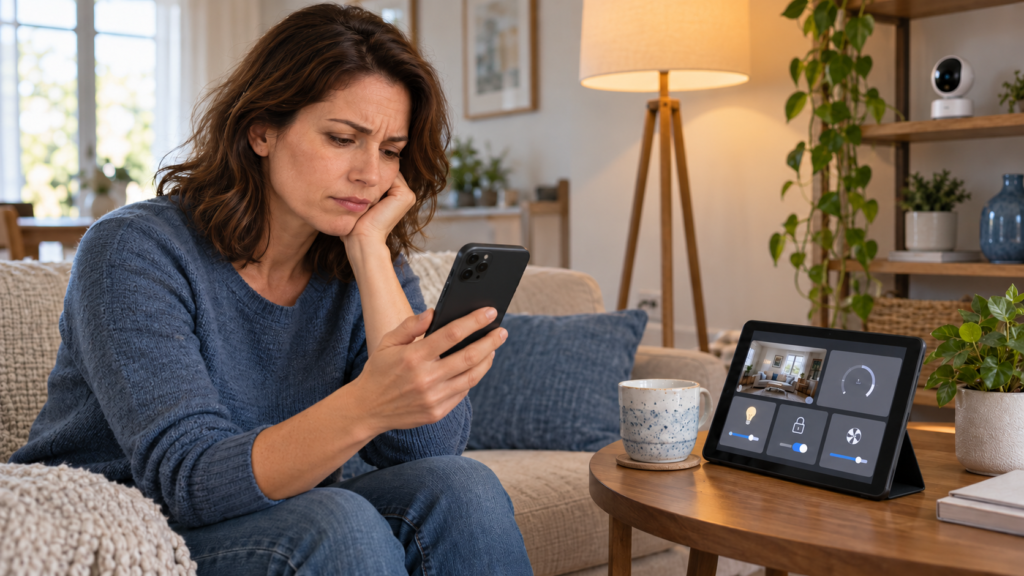
Learning how to enable AI in a home starts with choosing one task worth improving. That might mean clearer voice control, fewer irrelevant camera notifications, or help organizing household tasks. This guide explains how to choose a platform, connect equipment, limit access, and test the result before expanding.
Quick answer
To enable AI in a home, choose one useful task, check your existing devices, and select a supported cloud or local platform. Connect compatible equipment, give the assistant access only to the devices it needs, and test normal commands, mistakes, and outages. Measure the benefit before expanding to other rooms.
What AI enablement means at home
Home AI enablement means connecting an AI capability to a useful household activity. The capability might recognize speech, classify an object in a camera image, learn a temperature preference, or interpret a flexible request.
A connected home is not automatically an AI home. An app-controlled lamp provides remote control. A sunset schedule is rule-based automation. A conversational assistant adds language understanding, while a camera model can distinguish a person from some other movement.
| Capability | Example | Does it require AI |
| Connected control | Turn a lamp on through an app | No |
| Rule automation | Turn a lamp on at sunset | No |
| Speech recognition | Interpret a spoken lighting command | Uses speech-processing models; the action can remain predefined |
| Computer vision | Classify a camera event as a person | Yes, for the classification |
| Generative AI | Interpret a flexible request or draft a household plan | Yes |
| Predictive control | Adapt behavior using learned patterns | Depends on the product and actual implementation |
An assistant can draft a shopping list without controlling any appliance. Device control is a separate integration with its own permissions.
If you want to understand how models use tools and permissions, our guide to enabling AI with agents explains the broader design principles in a business setting.
Key takeaway: Use the simplest dependable method for each task. A large language model (LLM) interprets and generates language; it adds little to a timer that already works well.
Why enable AI and what benefits to expect
AI becomes useful when the existing interface creates friction or the household needs help interpreting information. Flexible language can reduce the need to remember an exact command. Object detection can make some camera alerts more relevant. A household assistant can turn rough notes into a draft plan.
Start when you have a recurring problem, supported equipment, and someone willing to maintain the setup. Delay a purchase if you cannot confirm country availability, language support, or compatibility with the exact device model.
For example, someone who finds phone menus difficult may benefit from voice control. Test the assistant using that person’s speech, preferred language, background noise, and typical position in the room. A product demonstration does not establish accessibility for every resident.
Benefits should be measured against the task:
- Convenience: fewer manual steps to complete a routine.
- Accessibility: another usable way to operate lights or other appropriate devices.
- Attention: fewer irrelevant notifications to review.
- Coordination: clearer reminders and reviewed household plans.
- Comfort and energy management: better scheduling or adjustment, where supported.
Expert tip: Define the benefit before selecting a product. “Reduce unnecessary camera alerts” is a clearer project than “make the house intelligent.”
Where AI can help
Choose a use case with a clear outcome and an easy fallback.
| Household area | Useful application | What to check first | Suitable starting point |
| Lighting | Flexible voice requests and scenes | Dimming support, names, manual switches | One lamp or room |
| Household planning | Draft shopping lists or organize chores | Personal information and sharing permissions | Reviewed draft with no device access |
| Cameras | Classify events and summarize supported footage | Storage, privacy, missed detections, subscriptions | Notifications requiring human review |
| Heating and cooling | Supported learning or adaptive scheduling | HVAC compatibility and comfort limits | Monitor settings before changes |
| Cleaning | Robot vacuum navigation or obstacle recognition | Model-specific features and floor conditions | Supervised first runs |
| Home information | Ask about exposed sensor or device states | Freshness and accuracy of state data | Read-only questions |
An occupancy sensor can trigger a lighting rule without generative AI. A robot vacuum may already contain embedded AI; connecting it to a language model may add little value. Evaluate each function separately.
Common mistake: Buying an “AI” appliance without identifying which feature uses AI, whether it needs a subscription, and whether it solves your problem.
How to enable AI in a home in seven steps
Step 1 Choose one problem and a baseline
Write down the task, its current inconvenience, and the desired outcome. Pick a low-impact pilot with an obvious manual alternative.
Example: “Control the living-room lamp using normal speech while retaining a usable physical control.” Record the current steps and which residents need access. If you only need a predictable schedule, build a routine first.
Choose one household administrator. Discuss microphones, cameras, and account access with the people who share the home.
Best practice: Keep the first project small enough to reverse without disrupting the household.
Step 2 Audit existing devices and the network
List each device’s exact model, firmware, platform, connection method, and support status. A brand name alone does not establish compatibility.
| Audit item | Question to answer | Why it matters |
| Device model | Is this exact model supported | Similar models can expose different features |
| Connection | Wi-Fi, Ethernet, Thread, Zigbee, or Z-Wave | Determines controllers, radios, and networking |
| Available functions | Can the chosen platform control the required feature | Basic support may omit advanced functions |
| Country and language | Is the feature supported for this account and household | Rollouts vary |
| Power and installation | Is the accessory correctly rated and permitted | Prevents an unsuitable installation |
| Software support | Are updates and replacement options available | Affects ongoing reliability |
| Recovery | Can the device be controlled and reset manually | Makes failures manageable |
For example, a Matter-over-Wi-Fi bulb does not require a Thread border router merely because it supports Matter. A Thread accessory has different network requirements.
Check Wi-Fi coverage at the actual installation location. An assistant cannot compensate for a device that repeatedly disconnects.
Quick checklist: Confirm the exact model, required controller, usable functions, region, and fallback before buying.
Step 3 Choose where AI processing happens
“Local” describes where a specific component runs. A local controller can still communicate with a cloud camera service or language model.
| Architecture | Where processing happens | Main advantage | Main limitation |
| Managed cloud | Supported vendor devices and online services | Usually less administration | Internet, account, eligibility, and service dependencies |
| Local | Selected speech, model, controller, and device functions run at home | More control over processing and outage behavior | Hardware sizing and ongoing maintenance |
| Hybrid | Some functions run locally and others use cloud services | Flexible division of tasks | Data flows and failure modes need documentation |
For a household already using a supported consumer platform, its managed assistant may be the shortest setup path. A resident prioritizing local processing may prefer Home Assistant and selected local integrations.
Hybrid example: run lighting rules on a local controller while using a cloud model only for optional conversation. Confirm whether your chosen integrations actually support that separation.
Pro tip: Draw a simple map showing which information leaves the home. Include audio, transcripts, camera events, device states, and account data.
Step 4 Connect devices and prove basic control
Update the controller and accessories, then pair the pilot device using official instructions. Verify control through the normal app before adding AI.
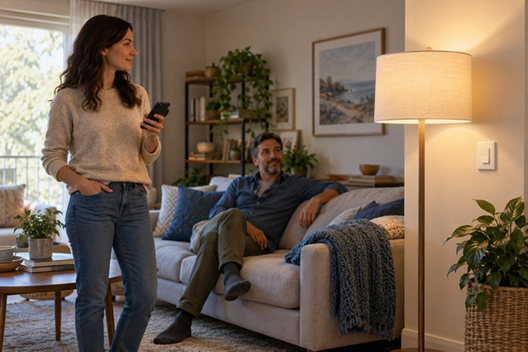
Two residents test a living-room lamp while keeping physical control available. AI-generated illustration.
Give each entity—a named device, sensor, or function in the controller—a clear name and room. “Living-room floor lamp” is easier to distinguish from “Lamp 2.” Remove obsolete duplicates and check that scenes target the intended devices.
For example, test the lamp’s on, off, and dimming functions individually. A natural-language assistant cannot add dimming if the device or integration does not support it. A smart bulb usually needs continuous mains power for remote control; use a supported physical control where appropriate and document what happens when power is switched off.
A renter should favor portable accessories and obtain any required permission for changes. Use a qualified professional for electrical or HVAC work that requires one.
Common mistake: Troubleshooting the AI layer before confirming that ordinary device control works.
Step 5 Add AI with limited permissions
Enable one supported assistant, conversation agent, or detector. Expose only the entities needed for the pilot.
Home Assistant’s documented AI integrations let you select exposed entities. Treat that allowlist as a control boundary; a prompt such as “never touch other devices” is not a substitute for restricting access.
Keep locks, garage doors, cooking appliances, and other high-impact actions outside a beginner experiment. If a later project includes them, use supported authorization and safeguards appropriate to the device.
Example: allow the assistant to operate the living-room lamp while giving it no tool access to the front-door lock.
Warning: Voice recognition and conversational confidence do not, by themselves, establish authorization to perform a sensitive action.
Step 6 Test normal requests and failure cases
Use a written test list. Include clear commands, alternative phrasing, ambiguous requests, unavailable devices, and commands outside the permitted scope.
Verify the actual result. “Done” in a chat transcript does not prove that a device changed state. Check reported state and observe the physical result during testing.
| Test | Example | Passing behavior |
| Normal command | Turn on the living-room floor lamp | Correct lamp responds |
| Alternate phrasing | Make the living room a little brighter | Supported behavior is interpreted correctly or clarified |
| Ambiguous target | Turn that one off | Assistant clarifies when needed |
| Denied scope | Unlock the front door | Unavailable to the pilot agent |
| Device offline | Disconnect the pilot lamp | Failure is reported without a false success claim |
| Internet outage | Disable internet while keeping the LAN active | Document which functions continue |
| Model unavailable | Stop the optional model service | Manual and independent basic controls remain usable |
| Recovery | Restore a saved controller configuration | Documented settings and control return |
Use household-specific acceptance criteria. As an illustrative target, you might require 19 of 20 predefined low-impact commands to succeed, no wrong-device actions, and successful manual fallback in every test. This is a proposed pilot standard, not an industry benchmark.
Best practice: Test with every resident who will use the system, including someone unfamiliar with the setup.
Step 7 Measure and expand gradually
Review results after a week or two of ordinary use. Did the task become easier? How many corrections were needed? Did anyone stop using it?
Fix recurring failures before adding rooms. If the benefit is small, retain a simpler routine or remove the AI component.
For example, an assistant that handles commands well in a quiet room may struggle near a television. Reposition the microphone or adjust the use case before purchasing additional endpoints.
Key takeaway: Expansion should follow demonstrated household value and manageable upkeep.
Technologies and equipment you may need
Separate the control system from the intelligence it uses. A controller connects devices and coordinates actions. A model interprets information. Speech components turn audio into text and text back into audio.
Matter is an interoperability standard. Thread is an IP-based mesh networking technology. They are related but not interchangeable. The Connectivity Standards Alliance Matter FAQ and Thread Group explanation explain their roles.
| Component | Function | When needed |
| Smartphone and app | Setup and routine management | Most consumer installations |
| Router or access point | Connect networked equipment | Network-based control |
| Controller or hub | Integrate devices and coordinate actions | Depends on platform |
| Thread border router | Connect Thread devices with other IP networks | A Thread-based architecture |
| Zigbee coordinator or Z-Wave adapter | Communicate with those device families | If using supported devices on those protocols |
| Voice endpoint | Microphone and speaker interface | Spoken interaction |
| Local model server | Run local language-model inference | Optional advanced architecture |
| Camera storage and detector compute | Record and analyze streams | Local video analytics |
| Backup storage or power | Improve recovery and selected outage behavior | Based on household requirements |
A basic controller’s ability to run automations does not prove it can run a responsive local LLM. Model size, quantization, context length, memory, and concurrent workloads influence hardware needs.
For background on sensing and on-device processing, see our introduction to AI in machines and hardware. Its industrial examples explain the same underlying distinction between sensors, computing hardware, and models.
Network segmentation can improve isolation but can also break discovery. Check IPv6, mDNS, routing, and platform requirements before moving every accessory to an isolated guest network.
Expert tip: Choose computing hardware after testing the intended workload. Not every household needs a graphics processing unit (GPU).
Choosing the best AI tools for your home
Select a tool by its role, compatibility, and maintenance demands. The following are different kinds of products rather than interchangeable assistants.
| Tool or platform | Purpose and advantage | Limitation | Ideal use |
| Gemini for Home | Managed conversational home features | Country, hardware, language, and plan eligibility | Supported Google Home households |
| Alexa+ | Generative assistance in the Alexa ecosystem | Verify supported accounts, devices, regions, and terms | Eligible Alexa households |
| Home Assistant with Assist | Flexible device integration and voice architecture | Configuration effort; integrations have different dependencies | Households wanting configurable control |
| Home Assistant with Ollama | Local LLM conversation and experimental control | Separate server and tool-capable model; performance varies | Technically confident local-AI pilots |
| Home Assistant with OpenAI | Cloud model integration with selected entity access | API billing and cloud processing | Existing Home Assistant users needing language capabilities |
| Home Assistant with Google Gemini | Alternative cloud model integration | Different from Gemini for Home; check integration and service terms | Home Assistant cloud-agent evaluation |
| Frigate | Local network video recorder (NVR) with AI object detection | Camera streams, storage, detector support, and compute | DIY camera analytics |
| Apple Home | Supporting ecosystem for compatible accessories | Not a general-purpose LLM control system | Existing Apple households evaluating accessory control |
Check Gemini for Home eligibility and Amazon’s Alexa+ overview before committing to a managed setup. Feature access can differ even within one household’s device collection.
For Apple-based installations, use the current home hub requirements. For camera analytics, begin with Frigate’s official documentation.
Example: a household seeking only improved camera alerts should evaluate camera analytics before investing in a conversational control system.
Common mistake: Treating an inference server, controller, and smart speaker as alternative names for the same product.
Implementation process for three practical paths
Managed assistant setup
Use the ecosystem already supported by your devices if it meets your requirements.
1. Confirm current region, language, account, device, and subscription eligibility.
2. Update the relevant app and device software.
3. Enable the supported assistant using the vendor’s current onboarding flow.
4. Add the pilot accessory and assign its room and name.
5. Review household members, recordings, and privacy settings.
6. Run the acceptance tests before enabling additional routines.
For example, connect one supported lamp before attempting a multi-room scene. Menu labels change, so follow the current official setup page rather than an old screenshot.
Pro tip: Verify the specific function you want. Device discovery alone is not a complete compatibility test.
Home Assistant with a cloud conversation agent
First establish a working Home Assistant installation with a supported device integration.
1. Add and test the pilot accessory.
2. Choose a documented conversation integration.
3. If it requires an API account, review billing and data handling before entering credentials.
4. Add the integration through Settings, Devices and services, then Add integration.
5. Select the conversation agent in the voice-assistant configuration where applicable.
6. Expose only the pilot entities and test device control.
7. Add speech input and output if needed, then repeat the tests.
The Home Assistant OpenAI integration documents paid API usage and entity access. A consumer assistant subscription does not automatically establish entitlement to a separate API service. Review the selected provider’s terms and monitor usage; budget alerts may not be hard spending caps.
Example: start with typed commands. Add microphones after text-based control works, so speech recognition and device integration can be diagnosed separately.
Best practice: Keep API credentials out of shared screenshots, exported examples, and public configuration files.
Home Assistant with local voice and Ollama
Local voice and a local language model are separate choices. You can implement local speech and predefined commands without adding an LLM.
Home Assistant documents a fully local voice pipeline. For an optional local LLM, follow the Ollama integration documentation. It requires an Ollama server and a tool-capable model for control; that control feature is documented as experimental.
Install and test the model service on suitable hardware, make it reachable only as intended, add the integration, and begin with a very small entity set. The documentation recommends fewer than 25 exposed entities for experiments.
Example: first test conversation with device control disabled. Then enable only the selected lighting entities and compare response time and accuracy with ordinary Assist commands. Asking a read-only question does not itself restrict the agent’s permissions.
Warning: Local processing still needs updates, backups, account protection, and a review of every connected service’s data flow.
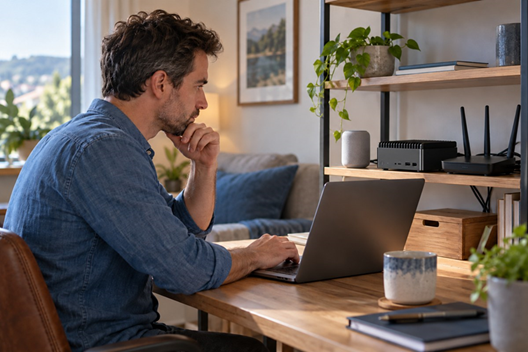
A local setup needs supported hardware, updates, and a documented recovery plan. AI-generated illustration.
Costs and success metrics
Build a first-year estimate for the actual project. Include hardware already owned as reused equipment rather than assuming its capabilities.
| Cost category | What to include | How to control it |
| Accessories | Lights, plugs, sensors, compatible thermostat | Buy for one verified use case |
| Infrastructure | Controller, adapters, border router, network improvements | Reuse suitable supported equipment |
| Local compute | Model host, memory, optional accelerator | Benchmark before upgrading |
| Installation | Electrical, HVAC, or specialist work | Obtain a scope and local quote |
| Services | Subscriptions, API usage, storage | Review feature tiers and usage |
| Operations | Electricity, batteries, replacements, maintenance | Track recurring costs |
First-year cost equals one-time purchases and installation, plus twelve months of recurring charges, plus variable operating costs. Local AI can reduce some cloud dependencies while adding electricity, hardware, and administration costs.
For example, a reused mini PC may avoid a new purchase but still increase power consumption. A subscription camera can have low initial setup effort and continuing storage fees. Compare the complete arrangement.
| Metric | How to measure | What it tells you |
| Completion rate | Successful actual results divided by tested commands | Task reliability |
| Wrong-target events | Count actions affecting unintended devices | Whether permissions and naming need work |
| Response time | Measure command to observed action | Everyday usability |
| False and missed alerts | Review labeled camera events | Detection tradeoffs |
| Manual overrides | Record corrections and bypasses | Household friction |
| Maintenance effort | Log minutes spent fixing and updating | Long-term burden |
| Operating cost | Track services, power, and replacements | Affordability |
| Energy use | Compare kWh with weather and occupancy context | Whether an energy project helps |
For thermostat selection, consult ENERGY STAR’s smart thermostat guidance. A lower bill can reflect tariffs or weather rather than an AI improvement; no universal savings percentage applies to every home.
Expert tip: Ask residents whether the system is easier to live with. A technically successful setup can still be inconvenient.
Common challenges and practical solutions
| Problem | Likely cause | First useful action |
| Wrong light responds | Duplicate names or unclear room context | Rename devices and test each room |
| A function is missing | Integration exposes only part of the product | Check exact supported features |
| Slow replies | Speech, network, model, or service delay | Time each stage separately |
| Outages disable control | Cloud dependencies | Document supported local/manual alternatives |
| Too many alerts | Broad detection zones or unsuitable settings | Review event samples and missed detections |
| Unexpected charges | Subscription or API consumption | Inspect billing and actual controls |
| Household objects to recording | Privacy preferences were not discussed | Agree on placement, retention, and alternatives |
| Devices disappear after network changes | Discovery or routing failure | Recheck platform networking requirements |
If a camera produces fewer alerts after sensitivity changes, also check whether it misses relevant events. Reducing notification volume alone does not establish better security.
Use the NIST consumer IoT security profile as a product-selection and maintenance reference. It is guidance rather than a universal household legal requirement.
Common mistake: Resetting the whole installation before identifying whether the failure is in the device, network, controller, speech system, or model.
Best practices for a shared household
Keep physical controls available and label unusual behavior. Let residents know how to stop an automation, use the manual alternative, and contact the administrator.
Limit data collection to the purpose. Review microphone and camera settings, recording retention, deletion options, guest access, and account recovery. Use unique passwords, available multifactor authentication, supported firmware, and secure remote access.
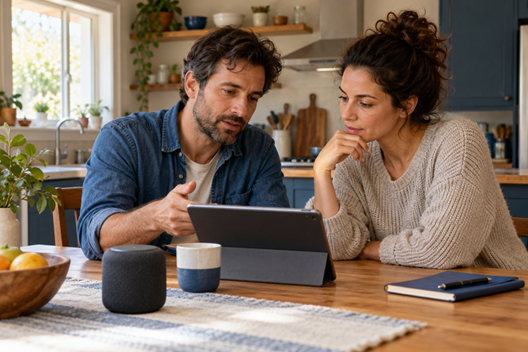
Discuss recording, retention, and account access with the people sharing your home. AI-generated illustration.
Treat external text, transcripts, and model output as untrusted input. An instruction hidden in content should not grant permission to operate devices. Prefer narrow tools and explicit confirmation for actions that deserve it.
Back up the controller configuration and test restoration before the setup becomes essential. Keep a record of device models, subscriptions, integrations, and who administers them.
For example, a guest should have an ordinary physical way to operate a bedside lamp without receiving administrator credentials.
Best practice: Review permissions after adding devices. A convenient integration update should not silently widen the household’s intended access.
Realistic examples you can adapt
The following examples illustrate possible setups; they are not reports of completed household tests.
A renter starts with one lamp
A renter uses a portable compatible accessory and a supported assistant. They verify its electrical rating, name the lamp clearly, and retain manual control. They test it from the sofa and doorway before adding more equipment.
The useful outcome is easier access to that lamp. Measure energy use separately if energy savings are a goal.
A family uses AI without connected appliances
A family asks an assistant to organize a draft weekly chore list from non-sensitive notes. A resident checks assignments and dates before sharing it. No smart speaker, hub, or device-control permission is required.
The household measures corrections and planning time. It does not assume generated schedules are automatically fair or accurate.
A DIY household adds local camera classification
A technically confident resident evaluates Frigate with supported camera streams and appropriate storage. They compare classified events with manually reviewed footage and document both false alerts and missed events.
The project starts with notifications. Detection is not treated as a guarantee that a property is safe or an emergency has been recognized.
Key takeaway: Each example improves one task and measures that task’s result.
Future improvements worth planning for
Better local models, more capable multimodal interfaces, and broader interoperability may make future installations easier. Treat these as directions to watch, not promises that a current purchase will receive a feature.
Prefer supported products with documented updates and usable alternatives if an online service closes. Keep device names, permissions, and backups organized so upgrades do not require rebuilding the household.
For example, a future assistant may understand more natural requests, but a working local lighting routine can remain useful through several assistant changes.
Pro tip: Buy for capabilities available to your household today. Reassess announced features when official support is confirmed.
Implementation checklist
- Choose a recurring problem with a measurable outcome.
- Decide whether AI adds value over an ordinary rule.
- Identify the household administrator and affected residents.
- Verify exact models, supported features, region, and language.
- Check installation permissions and equipment ratings.
- Document local and cloud data flows.
- Establish ordinary device control first.
- Name rooms and devices unambiguously.
- Expose only the required entities and actions.
- Review accounts, recordings, subscriptions, and usage.
- Test alternate wording, denied requests, offline behavior, and actual state.
- Keep a usable manual alternative.
- Back up the configuration and test recovery.
- Measure reliability, cost, maintenance, and household acceptance.
- Expand one task at a time.
Example: complete this list for the living-room lamp before applying it to a second room.
Quick checklist: If you cannot explain the fallback or identify who maintains the setup, resolve that before expansion.
Frequently asked questions
Can I enable AI at home without buying smart devices
Yes. An assistant can help draft household plans, organize lists, or explain information. Review its output and avoid providing unnecessary personal details. Connected-device control requires additional compatible equipment and permissions.
Can old appliances work with AI
Sometimes, through a supported integration or suitable accessory. Check the appliance’s ratings, startup behavior, and manufacturer guidance. A smart plug does not make every appliance appropriate for remote switching.
Do I need to code
Many consumer setups and basic Home Assistant tasks use graphical interfaces. Custom local models, unusual integrations, or complex networking may require technical skills. Choose the simplest supported route for your task.
Can everything work without the internet
Only if the complete required chain supports local operation. Check the speech engine, model, controller, device integration, and any authentication dependencies. Test an outage rather than relying on a “local” label.
Is Matter the same as Thread
No. Matter defines interoperable device communication at the application layer. Thread provides an IP mesh network. Matter can also use Wi-Fi or Ethernet; Thread devices have their own border-router requirements.
Can I use several smart home ecosystems together
Some accessories support multiple platforms, including supported Matter arrangements. Confirm each platform’s features and commissioning requirements. Multiple assistants can also create duplicate names, conflicting routines, or extra administration.
Does every room need a smart speaker
No. Start with a phone, an existing endpoint, or one shared location if supported. Add microphones only when coverage and actual household use justify them.
Will a local LLM run well on my existing hub
Not necessarily. Controller and inference workloads differ. Test the selected model, memory requirements, context size, and response time before assuming a hub can handle both.
Is a ChatGPT subscription the same as API access
No. Treat consumer app subscriptions and API services as separate products. Check current provider billing and eligibility for the integration you plan to use.
Can AI replace a smoke alarm or emergency service
Do not rely on a general-purpose assistant as a replacement for required alarms or emergency arrangements. Keep certified safety equipment and established response procedures independent of an experimental home-AI setup.
How do I know whether an AI command succeeded
Compare the intended result with device state and, during testing, the physical outcome. Handle unavailable or stale state as uncertainty. A confident spoken response alone is insufficient.
How often should I maintain the setup
Follow vendor update guidance and review the system after device, network, account, or subscription changes. Schedule periodic permission, backup, billing, and fallback checks that suit how much the household relies on it.
Key takeaway: Test compatibility and offline operation across the complete setup.
Conclusion
The practical answer to how to enable AI in a home is to start with a useful task, establish reliable device control, add only the intelligence the task needs, and restrict what it can do.
A successful first project gives residents an easier way to complete that task and a clear alternative when something fails. Let measured results guide the next purchase.
Your first month action plan
| Period | Action | Evidence before continuing |
| First two days | Choose the task, owner, and baseline | Written outcome and household agreement |
| First week | Audit, pair, and test one pilot device | Basic and manual control work |
| Second week | Enable bounded AI and run tests | Actual results and failures recorded |
| Third week | Use it normally and resolve friction | Residents can operate and bypass it |
| Fourth week | Review costs, benefit, and maintenance | Decision to expand, simplify, or stop |
These are planning allowances, not a guaranteed delivery schedule. Local inference or installation work may take longer.
Choose one task today, record the equipment you already own, and verify compatibility before shopping.